

TAMRON-LINK
Malli TL-01
TAMRON-LINK: Wireless lens control via Bluetooth with your smartphone
By connecting the TAMRON-LINK to a TAMRON lens, users gain the ability to wirelessly operate various lens functions from a smartphone via Bluetooth. This connection accessory eliminates the need for cable connections, Improving on-location workflow efficiency and enabling a more flexible and seamless shooting experience, It supports both IOS and Android devices, allowing users to enjoy TAMRON Lens Utility comfortably.
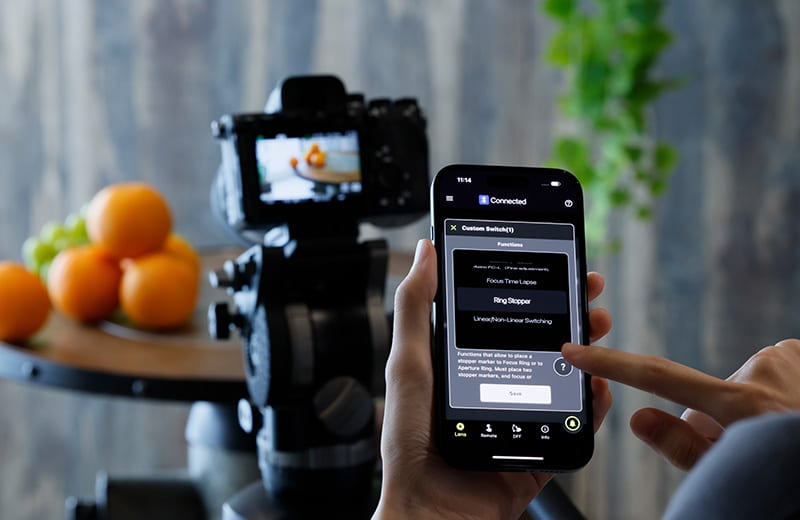
Customized Lens Control for Modern Creators
With TAMRON Lens Utility and TAMRON-LINK, you can tailor compatible TAMRON lenses precisely to your workflow — from focus functions and video settings to time-lapse and astro features. Designed for photo and video creators who want to unlock the full potential of their lens.
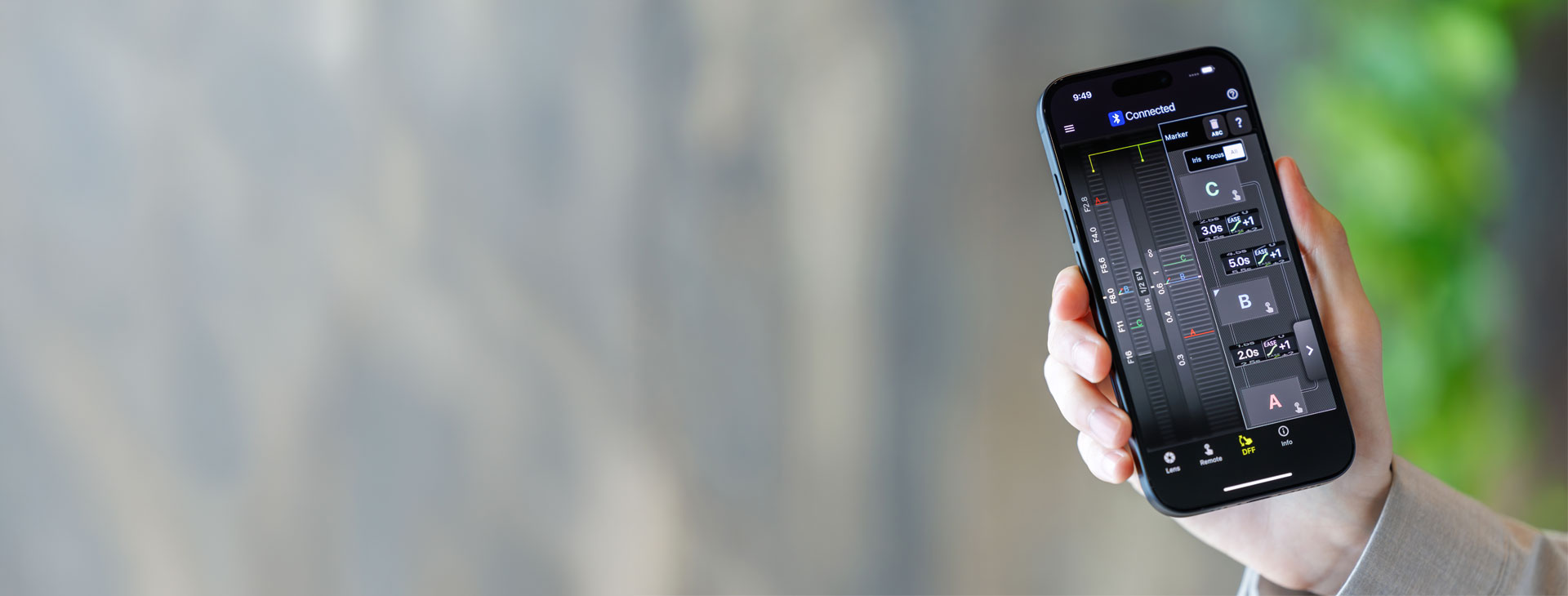
Customize Lens Functions Easily with Your Smartphone
Want to control autofocus remotely or turn the focus ring into an aperture ring? With the TAMRON Lens Utility Mobile app, you can customize compatible TAMRON lenses directly from your smartphone — quickly, intuitively, and exactly to your shooting style. The app is available for iOS and Android and gives you flexible control wherever you shoot.


TAMRON Lens Utility – Overview of all Features
TAMRON Lens Utility lets you unlock the full potential of compatible TAMRON lenses. Customize key lens functions to match your shooting style and switch seamlessly between photo and video workflows. Assign functions to the Focus Ring or Custom Switch, update your lens firmware, and keep your equipment ready for any shooting situation. Available as desktop software for Windows and macOS, as well as a mobile app for compatible lenses using TAMRON-LINK.
We need your consent to display this video
We use a third-party service to embed video content. This service may collect data about your activities. Please read the details and agree to the use of the service to watch this video.
Connect your TAMRON-LINK
Follow these steps to connect your TAMRON-LINK Bluetooth device to the app.
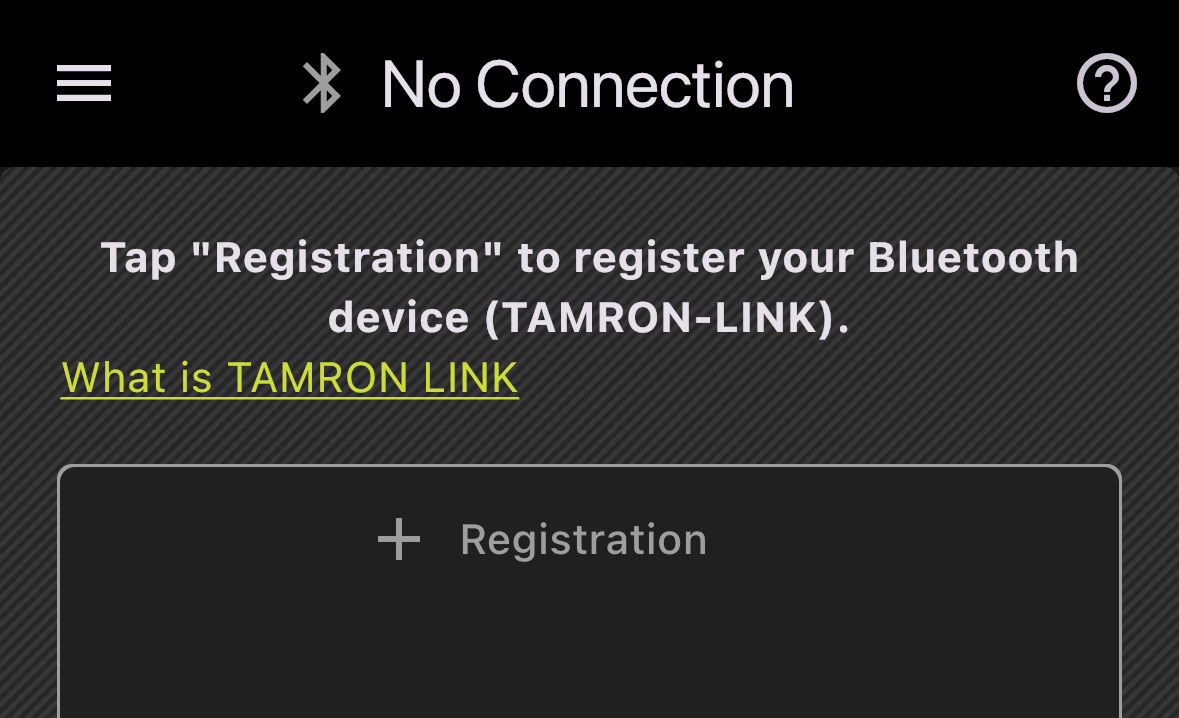
Step 1: Register the Bluetooth device
Tap “+ Registration” in the app to add a new TAMRON-LINK device.
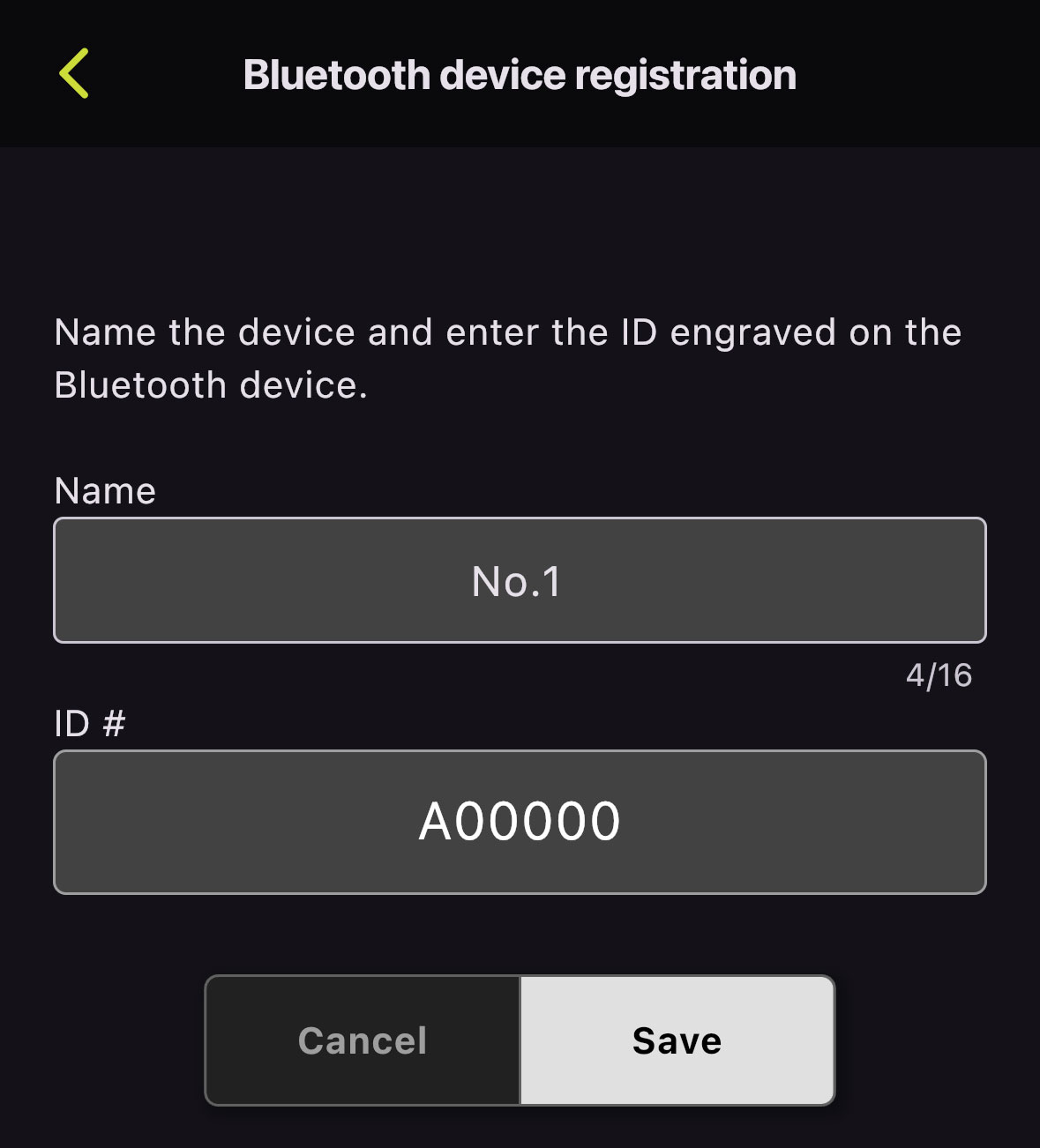
Step 2: Enter device name and ID
Assign a device name and enter the ID engraved on the TAMRON-LINK.
Tip: The ID is located directly on the Bluetooth module.
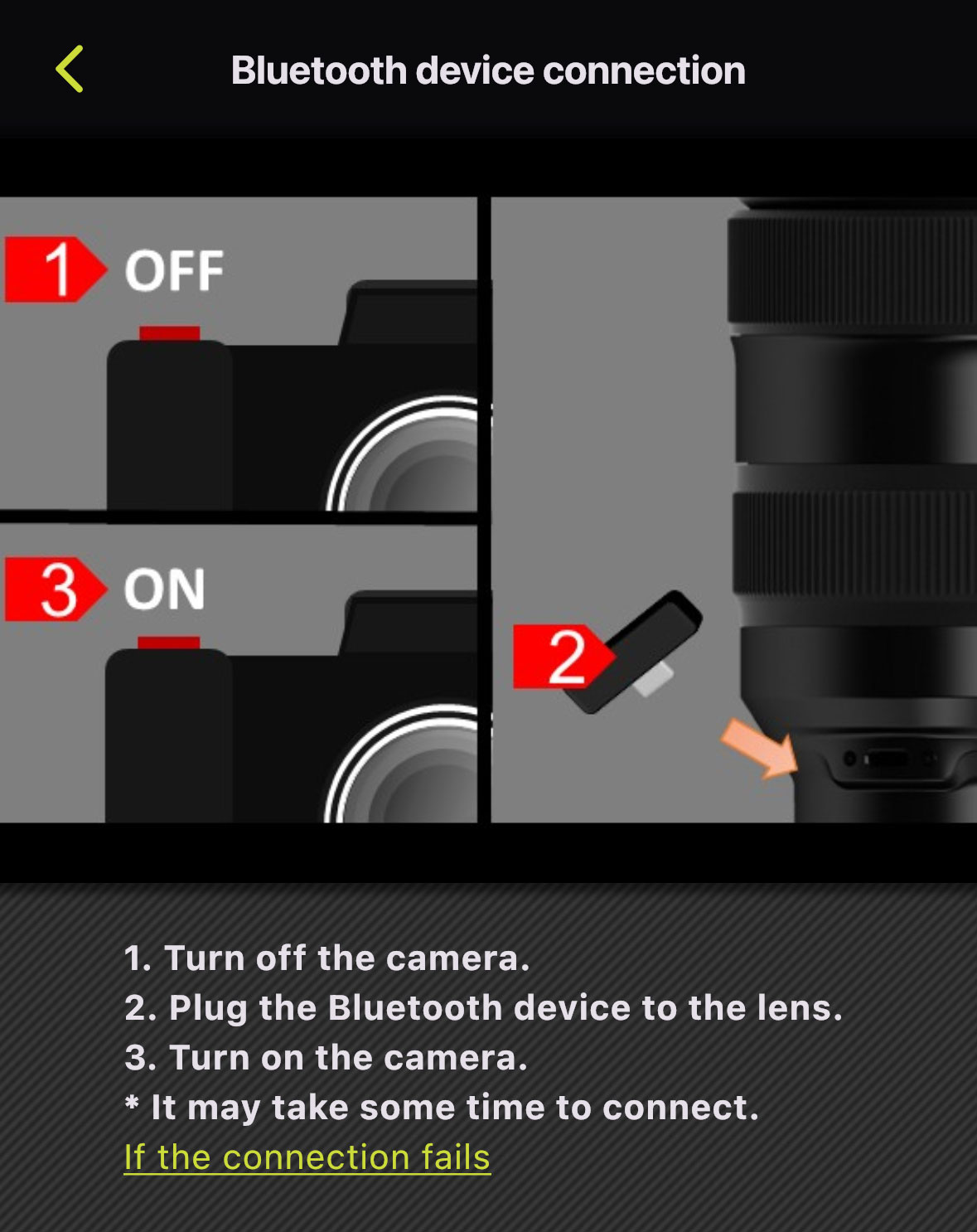
Step 3: Connect TAMRON-LINK
Turn off the camera
Insert the TAMRON-LINK into the lens
Turn on the camera
The connection may take a few seconds.
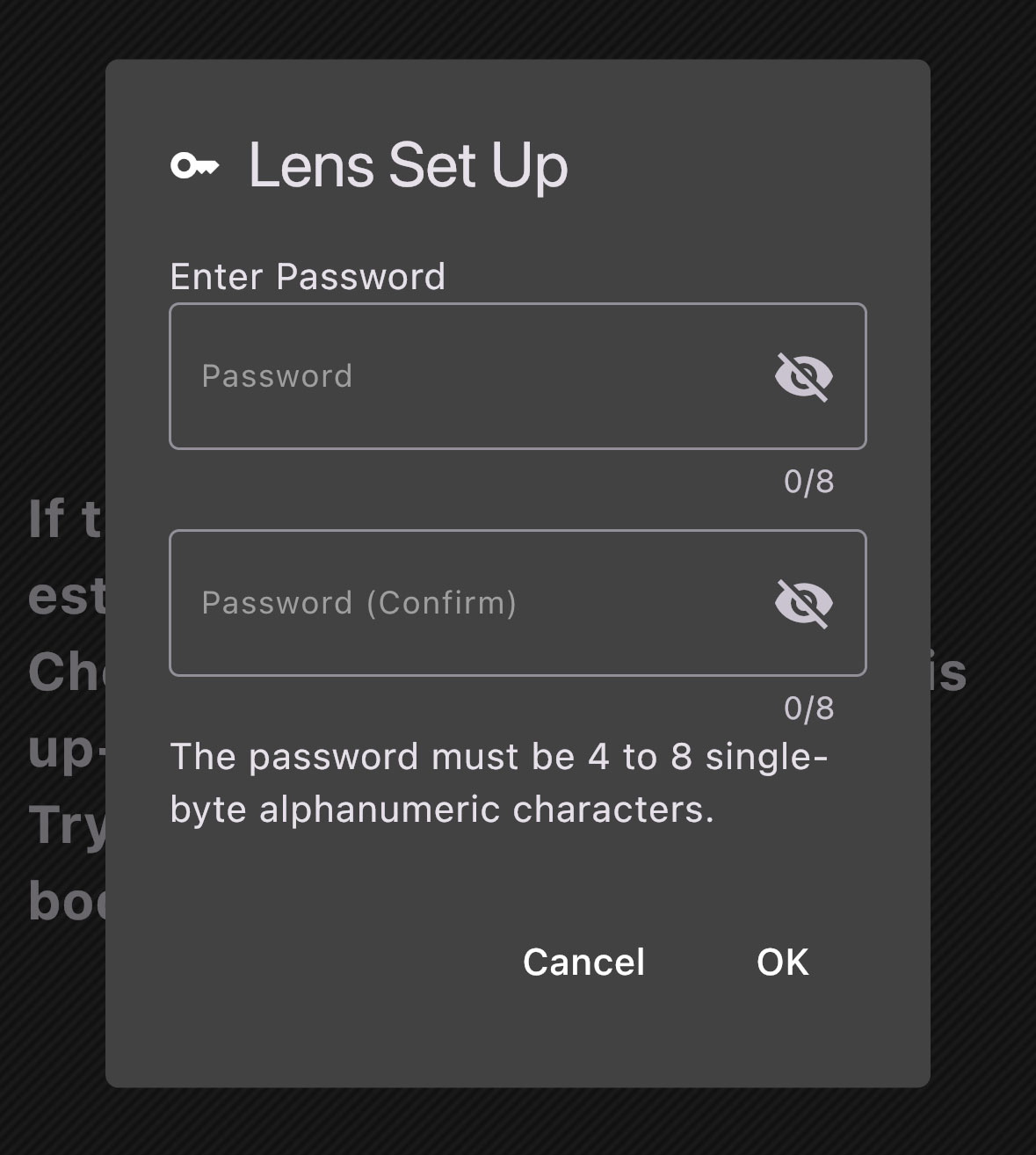
Step 4: Set a password
Set a password and tap “OK”.
This step is required only during the initial registration.
Note:
The password must contain 4–8 alphanumeric characters.
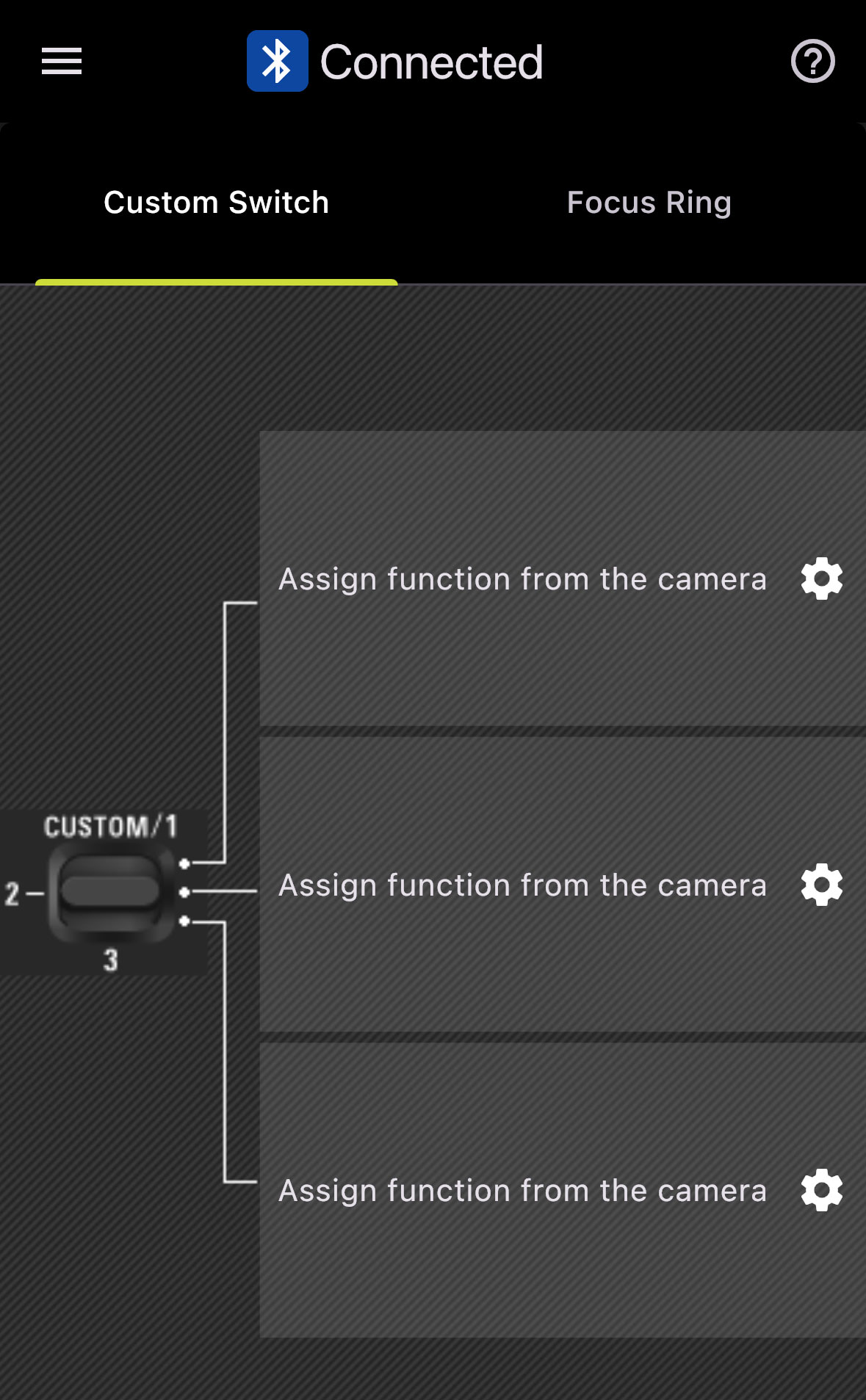
Step 5: Connection established
The connection has been successfully established.
You can now configure your individual functions.
Notes on using TAMRON-LINK™
1. Operating environment
Operation with all Bluetooth-enabled devices cannot be guaranteed.
Depending on radio conditions, obstacles, or the status of surrounding devices, the connection may be unstable or experience delays.
Interruptions or reduced transmission speeds may occur near devices that also use the 2.4 GHz band (e.g., Wi-Fi routers or microwaves).
Range and speed are approximate values and depend on the environment.
2. Connection and firmware
TAMRON-LINK™ is currently only available in Japan, the USA, Canada, the EU, the United Kingdom, and China (including Hong Kong and Macau) (as of February 2026).
The mobile version of TAMRON Lens Utility™ does not support lens firmware updates—the PC or Mac version is required for this.
To use TAMRON Lens Utility™ and TAMRON-LINK™, the respective lens firmware must be up to date. Information on firmware updates can be found at:https://www.tamron.com/global/consumer/support/
Currently incompatible lenses
The firmware required to use TAMRON-LINK™ will be available for the following models in spring 2026:
28–75mm F/2.8 Di III VXD G2 (Model A063) for Nikon Z-mount
35–150mm F/2–2.8 Di III VXD (Model A058) for Sony E-mount
A complete list of compatible lenses is available at: https://www.tamron.com/global/consumer/soft/lensutility/#compatible_lenses
3. Other notes
During Bluetooth connection, battery consumption of the camera and connected device may increase.
Registration with the connected device is required for first-time use. Detailed instructions can be found at: https://www.tamron.com/global/consumer/accessories/tamron_link/tl-01/
This product must not be used in environments where it could interfere with medical equipment or the safe operation of aircraft.
TAMRON accepts no liability for direct or indirect damage resulting from the use of this product.
Uutisia tästä tuotteesta
Compatible Lenses
35-100mm F/2.8 Di III VXD
Malli A078
16-30mm F/2.8 Di III VXD G2
Malli A064
